Anyone who works in financial services knows the habit of keeping records. You file the statement, log the call, and note where a figure came from. The same habit should apply to the small tools a team installs or opens in a browser tab, including something as ordinary as a video downloader. When a planner or bookkeeper wants to keep a public explainer clip for an internal training folder, the question is not only "does it work" but "what does this tool take from me in return."
This article walks through that question using a simple checklist, and applies it to a free downloader with no sign-up and no stored files. Everything said about EzyDownload comes from its public pages as read on 13 November 2026. Everything said about other tools is general, because I did not test them for this piece.
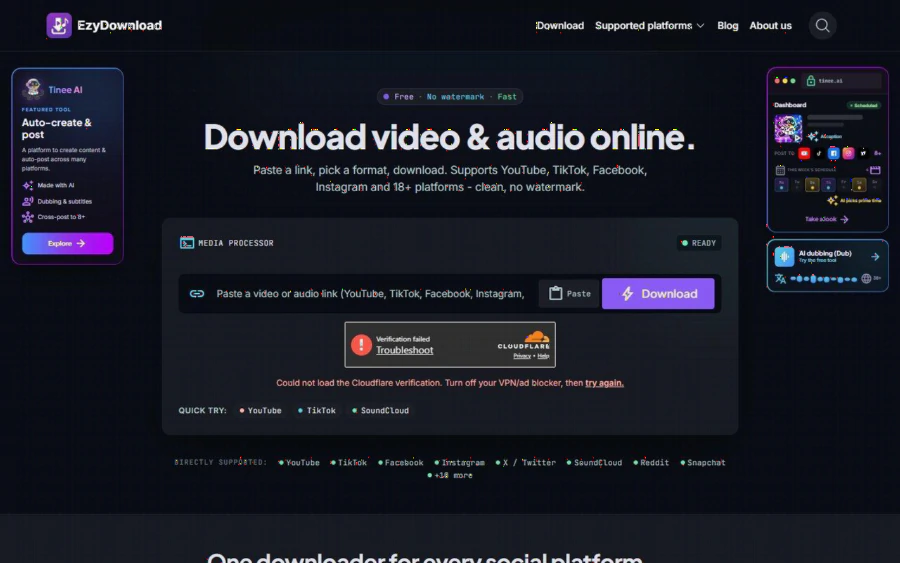
EzyDownload homepage with a link box, a Download button and a list of directly supported platforms
Why a finance team should care about a small tool
A downloader looks harmless, yet it touches three things a finance team cares about: data, devices and records.
On data, many free savers ask for an email, plant cookies or log which links you paste. A link to a public clip is not sensitive, but a pattern of links can reveal what a firm is researching.
On devices, the old risk with free savers is the fake "Download" button that installs something else. A work laptop is not the place to learn that lesson.
On records, a saved clip is a copy of someone else's work. Keeping it for reference is one thing, republishing it is another. A team that handles client money is usually careful about this already, and the same care should apply here.
A five-point checklist before you pick a saver
Here is the list I would hand to a small firm. It works for any tool, including the one reviewed below.
- Does the tool need an account or an email address?
- Does it say whether it stores your files or logs your links?
- Is the real download button clearly separate from advertising?
- Does it show formats and resolutions before you commit?
- Does it say plainly what it cannot download?
Common names in this category include SaveFrom.net, Y2mate and SnapInsta. Run the five questions on two or three of them for ten minutes each and you will learn more than any ranking page can tell you. Treat any vendor's own description as a claim to verify, not a verdict.
How EzyDownload answers the checklist
On the first point, the homepage says no account, sign-up or email is required, and the pricing answer is simple: it is free, with no paid plan.
On the second, the site states that media streams directly to your device and that it does not store files on its servers. It also says "No logs kept." That is a vendor statement, so a cautious firm should read the privacy page and decide for itself whether it is enough.
On the third, the page says there are no trick ads and no fake download buttons. In fairness, the page is not ad free. It promotes Tinee AI, a content creation tool, as a featured tool in the side panels, and a sponsor link also appears on the page. Neither is hidden, but you should know about them before you expect a bare-bones page.
On the fourth, the site lists video as MP4 up to 4K (2160p) at 60 FPS when the source offers it, plus 1080p, 720p and lower options. Audio comes as MP3 or M4A at 320, 192 or 128 kbps. It also notes that at high resolutions some platforms split video and audio, in which case you may need a free tool such as HandBrake or FFmpeg to merge them.
On the fifth, the site says it processes public media only. Private accounts, paywalled content and login-protected posts may fail. For a finance team this is a feature, because it means the tool is not designed to pull anything behind a subscription wall.
What the flow looks like
The steps are short, according to the homepage.
1. Copy the link to a public video or audio post.
2. Paste it into the box and choose MP4 or MP3, then a resolution or bitrate.
3. Click Download and the file goes straight to your device.
The platform list covers YouTube, TikTok, Facebook, Instagram, X and SoundCloud directly, with Reddit, Snapchat, Threads, Tumblr and Pinterest among the others. The site describes the total as 18 or more platforms.
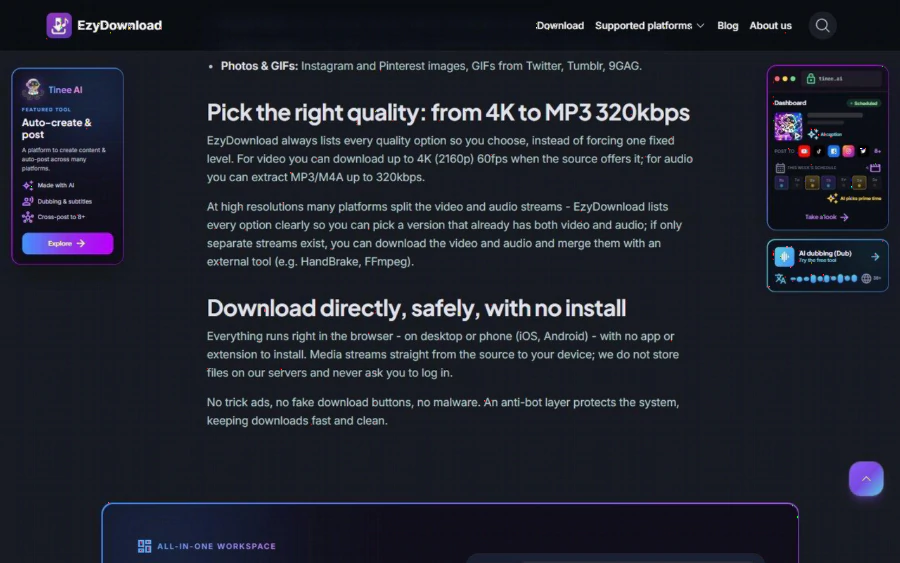
Section of the EzyDownload page explaining quality options from 4K video to MP3 at 320kbps and the no-install, no-login approach
An illustration, not a client story
This is an illustration, not a real customer. Imagine a three-person bookkeeping practice that wants a small internal library of public explainers: how a payment terminal works, what a tax office announcement video says, a recorded public talk on small business reporting. They want the clips offline, because the office wifi is poor and the training session is on a Friday afternoon.
Using the checklist, they open the tool in a browser tab, paste three public links, pick 720p for the talks and MP3 for one podcast episode, and save everything to a shared folder named by source and date. They write the source link in a text file next to each clip. They do not share the files outside the firm, and they delete them when the training ends. Nothing here needs an account, an install or a card.
The point of the illustration is the habit, not the tool: record where each clip came from, keep it internal, and respect what the original publisher allows.
Strengths and limits, stated plainly
Strengths:
- Free, with no sign-up and no install, working in a desktop or phone browser.
- A wide quality range, from low bitrate audio to 4K video when the source offers it.
- Clear public statements about files not being stored on its servers.
- Honest about what it cannot do: private, paywalled or DRM-protected content.
Limits:
- The homepage shows a Cloudflare verification step. When I loaded the page for this review, the check showed a "verification failed" message with advice to turn off a VPN or ad blocker, so expect to try again if you use one.
- Split video and audio streams at the top resolutions can mean an extra merge step.
- It carries promotions for Tinee AI and a sponsor, so it is not a quiet, ad free page.
- It cannot replace licences. Saving a clip does not give you the right to reuse it commercially.
Who should use it and who should not
It suits small practices, advisers and educators who want to keep public clips offline for private study, and anyone who dislikes tools that demand an account.
It does not suit anyone who needs to save private, paid or protected content, anyone planning to republish other people's videos, or a firm whose compliance rules ban browser based tools on work devices. If that last case is yours, ask your IT lead before trying anything.
How to get started
Open the homepage, paste one public link you already have permission to keep, and choose a modest format first. Check what the file looks like, note the source, and then decide whether the tool earns a place in your workflow. If it passes your five questions, bookmark it. If it does not, you have lost five minutes and nothing else. For more detail on each platform, the site also has a blog and separate pages for individual sources, and its About page explains how it describes its approach.
Nothing in this article is financial or legal advice. It is a review of a free utility, written so that a careful team can decide quickly and keep good records of what it saves.