Owners of small finance websites often describe the same problem. They publish careful guides on savings, tax or budgeting, they pay a freelancer or an agency for SEO now and then, and months later they cannot say whether any of it moved the needle. The missing piece is usually not another service. It is a record of where the site ranks, week after week. This article looks at a rank tracking tool, and asks how well it fits a small finance site that wants its SEO work visible in one place.
First, a clarification, because the framing matters. ServiceHub247 is not an outsourced SEO agency. It does not write content or build links. It is the measuring layer: it tells you where your keywords stand so you can judge whether any outside work is paying off.
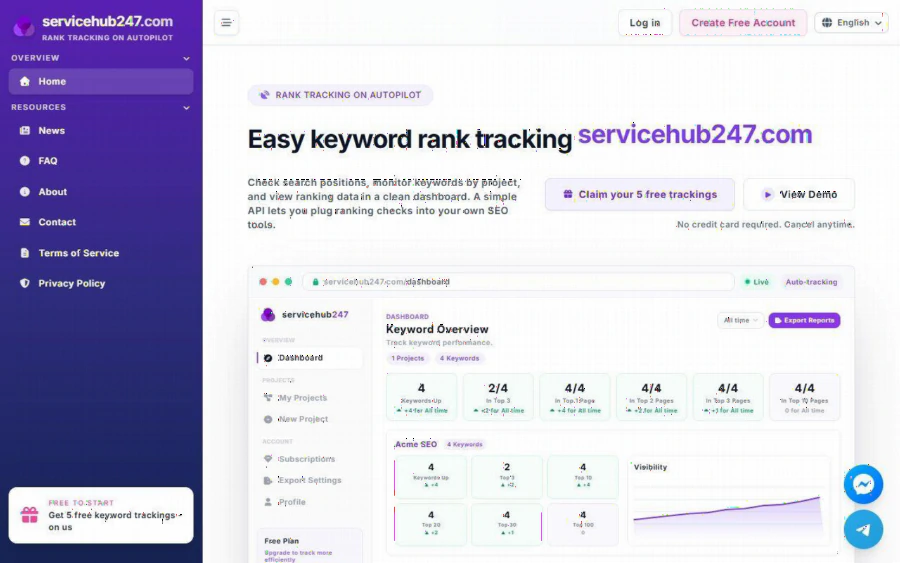
ServiceHub247 homepage with the headline Easy keyword rank tracking and a sample dashboard showing keywords up and top 3, top 10 counts
Why tracking comes before spending
For a small finance site, search traffic is often the main source of readers. Rankings for terms like "how to compare savings accounts" can swing after an algorithm update or after a competitor publishes a stronger guide. If you only notice when traffic drops, you have lost weeks.
Google Search Console shows impressions and average position, but it is a different view from a tracker that checks a specific keyword in a chosen region on a schedule. ServiceHub247's own help pages note this difference, describing how its positions differ from what Search Console reports. The two tools answer related but not identical questions, and many site owners use both.
What the tool offers
According to the homepage and its demo dashboard, ServiceHub247 gives you:
- Projects and keywords. You group keywords by project, one per site or client, and set a search region for each keyword.
- A summary dashboard. Cards show how many keywords moved up and how many sit in the top 3, top 10, top 20, top 30 and top 100.
- Charts and history. A visibility chart and a position trend chart, plus a ranking history per keyword with changes over 1 day, 7 days, 30 days and lifetime.
- Alerts and a daily digest. Rank alerts and a morning digest of keywords that changed in the last 24 hours, grouped into up, down, new and lost.
- Reports. Export reports and a downloadable PDF snapshot of rankings, useful if you report to a client or a business partner.
- API access. A simple API lets you pull ranking checks into your own tools.
- Domain metrics. The demo dashboard displays DR, DA, TF, backlinks and referring domains for a sample domain. The page does not say which plans include this, so check before counting on it.
On the site's FAQ page, only Google is mentioned as a search engine. New keywords may take 5 to 10 minutes to show data after you add them.
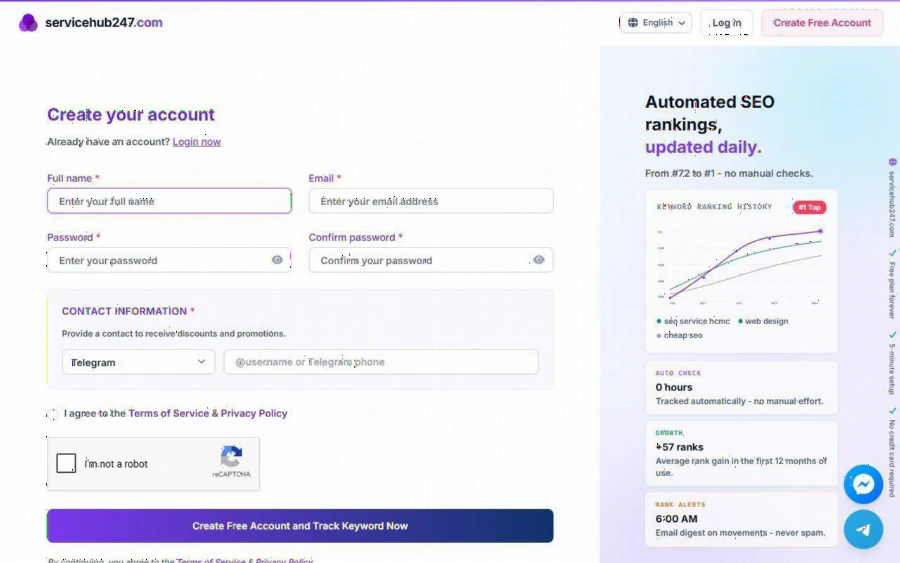
ServiceHub247 account sign-up page with fields for name, email and password, and a side panel about automated daily SEO rankings
The pricing, and what it means per keyword
The pricing sits on the homepage under "All Plans". There is no separate pricing URL. As listed:
| Plan | Price per month | Keywords | Check frequency |
|---|---|---|---|
| Free | $0 forever | 5 | Weekly |
| Lite Weekly | $5.90 | 30 | Weekly |
| Standard Weekly | $7.90 (listed at $11) | 50 | Weekly |
| Lite Daily | $21.90 | 30 | Daily |
| Standard Daily | $29.90 (listed at $46) | 50 | Daily |
| Enterprise | Custom quote | Unlimited | Not stated |
Paid plans renew automatically through Stripe, and the page says you can cancel at any time. All plans, including Free, list unlimited domains, rank alerts, report export and API access.
Doing the division yourself is revealing. By my calculation, Standard Weekly works out to about $0.16 per keyword per month, and Standard Daily about $0.60. Daily checks cost roughly four times as much per keyword as weekly checks. That is the central decision for a small site. Most finance guides do not change position hour by hour, so weekly tracking is enough for the majority of keywords. Reserve daily checks for the handful of terms that bring in your revenue or that you are actively trying to move.
A tracking plan for a small finance site
1. Start free. Register and add your 5 most valuable keywords. No credit card is required according to the homepage.
2. Pick keywords with intent. Choose terms tied to pages that earn or convert, not vanity terms. Include one or two for your brand name.
3. Set the region correctly. If you serve Vietnamese readers, track from the right market, because results differ between locations.
4. Record a baseline. Take a PDF snapshot before any SEO work, whether a content update or a purchased link, so you can compare later.
5. Review weekly. Read the digest, look for keywords that dropped, and check whether the page changed or a competitor moved in.
6. Upgrade only when the free limit is tight. The 5-keyword limit is small, but it is enough to prove the habit.
Whoever you hire for SEO, ask them to report against a tracker you control. That single step makes it much harder for results to be described vaguely.
Strengths and limits
Strengths. Clear plan structure, a free tier that is genuinely usable for a tiny site, unlimited domains on every plan, and an API for people who want to build their own reports. The daily digest is a practical feature for busy owners.
Limits. The keyword caps are modest: 30 or 50 on paid plans. Only Google is mentioned. The site's own claims, such as an average rank gain shown on the sign-up page, are marketing statements and should not be read as something the tool delivers by itself. A tracker measures; it does not improve rankings. The FAQ page shows article titles but few detailed answers, so for exact terms on cancellation and API limits you will need to read the terms of service or contact support.
Who should use it. Small site owners, freelancers and marketers who need an affordable, regular record of rankings.
Who should look elsewhere. Agencies tracking thousands of keywords across many markets, who will be pushed toward the custom Enterprise quote and may prefer to compare it with other tools.
Getting started
Open the site, create a free account, and add your first five keywords. If you later want daily checks or more keywords, the free sign-up form is where the plan choice begins. Run the free plan for a month first. If you still look at the dashboard every week, you have your answer about whether to pay.